Export DBF Files
You may export your dbf file to a variety of formats.
To save/export a DBF file, open File | Save as/Export menu, or right-click and select Export to command, or click the corresponding icon on the toolbar.
Select the location and format of the exported file and click Save. The available formats are: DBF, Text, SQL, PRG, CSV, TSV, XLS, XLSX (MS Excel), XML, SDF, RTF, JSON and HTML. Export to dialog box opens
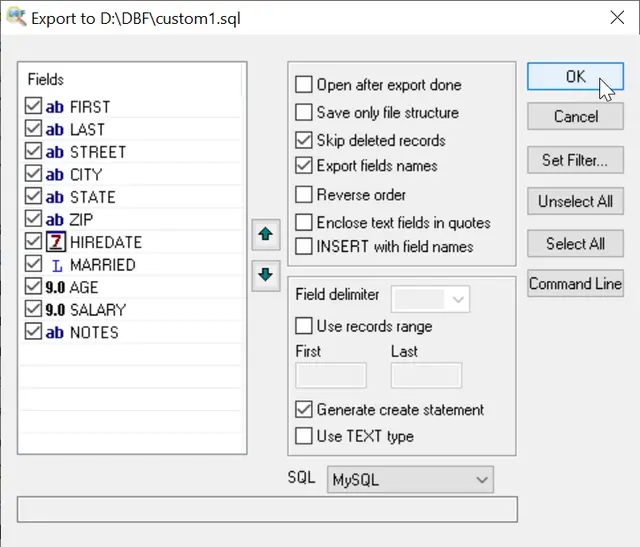
- Select the fields to be exported and specify their order using up and down arrows.
- Select a field delimiter for the resulting table (only for text/csv files)
Updated Wed, 24 Apr 2024
See also: DBF to XLS (Excel), DBF to CSV, DBF to SQL, DBF to MySQL, DBF to XML, Filtering records, Sorting records in dbf file, Command line options
Back to DBF Viewer 2000 Home