Search in DBF file
You may searching for records meeting the specified parameters.
To set criteria for searching records, click Edit | Find menu, or click the corresponding icon on the toolbar. Find dialog box opens.
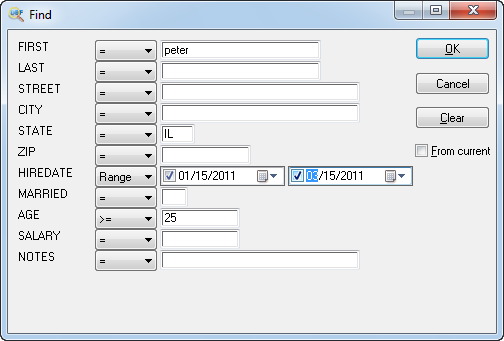
Set the criteria for necessary fields and click OK.
To find next entry, click Edit | Find Next menu, or click F3.
You can use the following meta symbols in search expressions:
- ? - any character in current position
- * - any characters after '*'
- *aa - search "aa" in any position
- b$ - match b at end of field
| Example | Matches | Doesn't Match |
| ab* | abc | cab |
| a?b* | aabc | aadc |
| *ab | cab,abc | cba |
| a*b$ | acb | abc |
Macros empty() allows find records with empty fields
! find with not equal value
Example: !Peter
records with field not equal Peter
!empty()
records with not empty field.
multiple search criteria:
peter or john or mike
You can also set range for date/Timestamp fields and all numeric types.
Updated Wed, 24 Apr 2024
See also: Filtering records, Sorting records in dbf file, Command line options
Back to DBF Viewer 2000 Home