Import records to DBF File
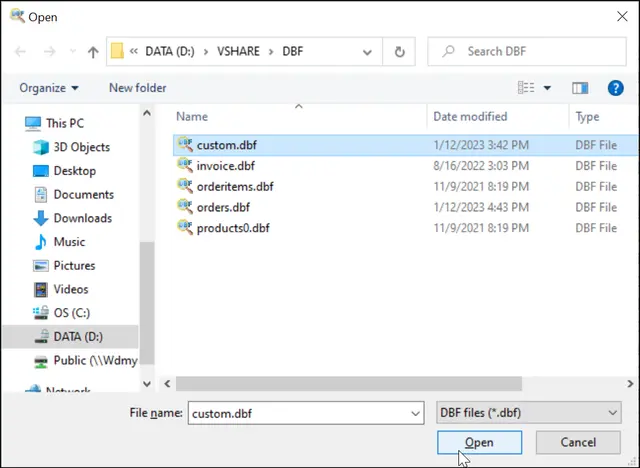
You may add records to the DBF file from a text file in either TXT or CSV format, or from another DBF file (in case the names of the fields coincide in both DBFs), from Excel (XLS,XLSX).
To append a text file, click File | Append menu. Append from dialog box opens.
Select the Field delimiter: Comma, Tab, or specify another delimiter.
Optionally check options boxes. If you choose ZAP before append records, all records from your original file will be removed. Otherwise the records from the text file will be added after the last existing record.
Importing to DBF file via Command Line
"c:\Program Files (x86)\DBF Viewer 2000\dbview.exe" /APPEND:dst.dbf,srcfile.ext | path-to-folder\*.ext [/ZAP | /SEP]
DBF Import (Command to import all records from a existing dbf):
"c:\Program Files (x86)\DBF Viewer 2000\dbview.exe" /APPEND:dst.dbf,srcfile.dbf
CSV Import:
"c:\Program Files (x86)\DBF Viewer 2000\dbview.exe" /APPEND:dst.dbf,srcfile.csv
XLS Import:
"c:\Program Files (x86)\DBF Viewer 2000\dbview.exe" /APPEND:dst.dbf,srcfile.xls
XLSX Import:
"c:\Program Files (x86)\DBF Viewer 2000\dbview.exe" /APPEND:dst.dbf,srcfile.xlsx
Text Import:
"c:\Program Files (x86)\DBF Viewer 2000\dbview.exe" /APPEND:dst.dbf,srcfile.txt /SEP;
Paradox Import:
"c:\Program Files (x86)\DBF Viewer 2000\dbview.exe" /APPEND:dst.dbf,pxtable.db
See also: DBF to XLS (Excel), Excel to DBF importing, DBF to CSV, DBF to SQL, DBF to XML, Filtering records, Sorting records in dbf file, Command line options